The Silent Fear: When Your Creative AI Tools Turn Into a Legal Nightmare
You sit at your desk, staring at a beautiful image you just generated with a simple prompt. It looks amazing, fits your client's brand, and took only three minutes to make.
But then, a cold feeling of worry hits you in the stomach.
Is this image actually safe to use, or will it bring a costly lawsuit to your client's doorstep tomorrow morning?
Many modern digital designers are facing this exact worry every single day. You want to stay competitive, but you also do not want to steal from real human artists who spent years perfecting their craft.
I recently spoke with a freelance designer who almost lost her biggest corporate client because of an AI-generated background. The client's legal team flagged the image for potential copyright issues, causing weeks of panic and sleepless nights.
This is the hidden stress of our modern creative industry. We are handed incredibly powerful tools, but nobody gave us a clear rulebook on how to use them without crossing ethical or legal lines.
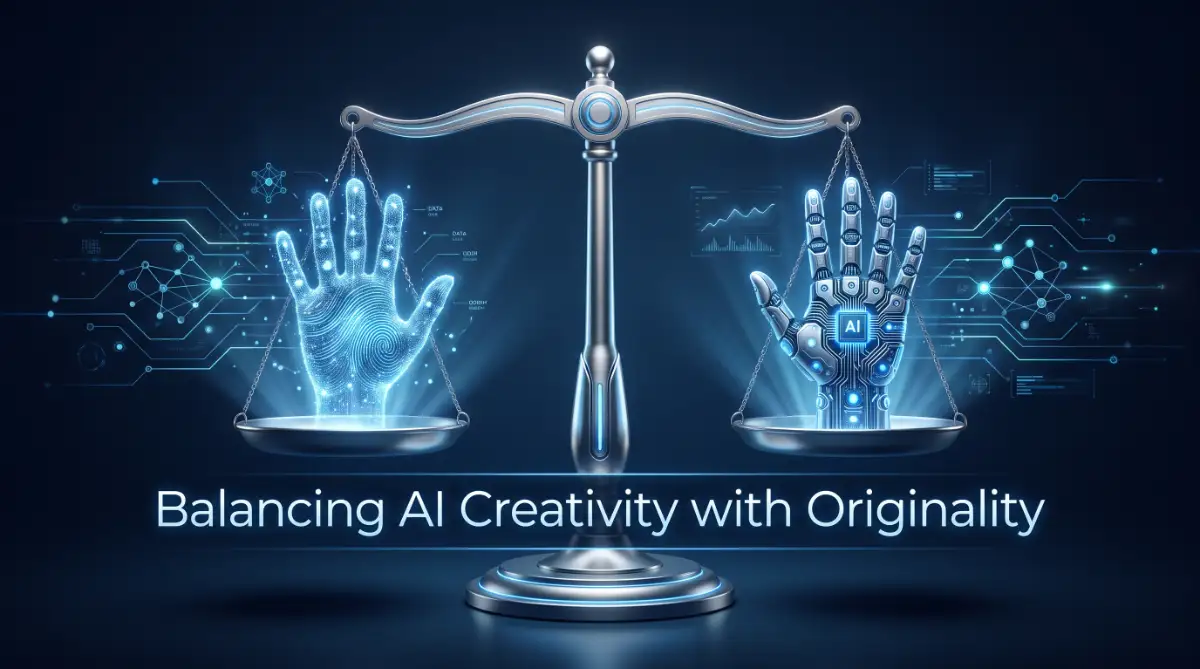
The True Cost of Cutting Corners with Generative Art
We need to look closely at what happens when we use these tools without a clear plan. It is not just about avoiding courtrooms; it is about keeping your professional reputation clean.
When you generate an image, the tool looks at millions of existing photos and paintings made by real people. If your prompt copies a living artist's unique style too closely, you are walking on very thin ice.
Let us break down the actual risks of unethical practices so we can understand what we are dealing with.
The Ghost in the Machine
Think of AI generators as very smart assistants who have read every book in the library but do not understand who owns those books. They can mix ideas together, but they do not know when they are copying someone else's homework.
If you paste an AI image directly into a commercial project, you might be publishing a piece that contains recognizable parts of someone else's hard work. That is why we must learn the rules of responsible creation.
Simple Rules to Keep Your AI Designs Safe and Respectful
You do not need a law degree to protect your design business. You just need to follow a few simple, practical steps every time you start up your generator.
Rule 1: Never Use Living Artists' Names in Your Prompts
This is the most important boundary you can set for yourself. When you type "in the style of [Name of a Living Artist]," you are telling the computer to mimic their hard-earned style.
- What to do instead: Describe the actual artistic elements you want.
- Use words like "soft pastel colors," "oil painting textures," or "sharp dramatic lighting."
- This keeps your work unique and respects the livelihood of individual creators.
Using descriptive words forces the generator to build something new rather than pulling heavily from one specific source. It is better for your creativity and much safer for your business.
Rule 2: Keep a Clear Record of Your Creation Process
If a client or a platform ever questions your design, you need to show how you made it. I recommend keeping a simple folder for each major project.
Save your original prompts, the initial images, and the screenshots of your editing steps. This proof shows that you did not just copy-paste a file, but instead used the tool as a starting point for your own work.
Rule 3: Use Platforms That Offer Legal Protection
Not all image generators are created equal. Some companies train their models only on licensed images or public domain art.
If you are working on commercial projects, look for platforms that offer legal backing for their generated images. These companies promise that their training data is clean, which gives you an extra layer of safety.
Using these safe platforms might cost a few dollars more, but it is much cheaper than paying a legal fine.
The Hybrid Workflow: How to Combine Human Skill with AI Speed
To be truly ethical, we should treat generative tools as starting points, not the final destination. The best designers use these tools to brainstorm ideas, not to replace the actual work of designing.
Start with AI for Rapid Mockups
When you are trying to understand what a client wants, you can generate quick mood boards. This saves hours of sketching time.
- Share these rough mockups with your client to agree on a color palette or general layout.
- Make sure you tell the client that these are just rough concepts made with AI.
- Pro Tip: Transparency builds trust. Clients appreciate knowing exactly how you work.
Once the client approves the general direction, you should recreate the key elements yourself or heavily edit the generated pieces.
Add Your Own Human Touch in Photoshop
Never deliver a raw, unedited AI image to a client who expects professional work. Pull the image into your favorite design software and start customizing it.
Change the background, fix the strange details that computers often get wrong, and add custom typography. By the time you are done, the AI part should only be a small portion of the overall design.
This hybrid method makes the final art truly yours. It is much harder for anyone to claim you copied their work when your own brush strokes are all over the file.
Myth vs. Reality in generative design
There is a lot of misinformation spreading online about what is allowed and what is not. Let us look at some common myths that can get you into trouble.
Myth: "If it is online, I can use it to train my own models."
Reality: Just because an image is viewable does not mean it is free to use for commercial machine learning. Many artists are actively fighting to keep their portfolios private.
Myth: "AI art cannot be copyrighted, so I can use it however I want."
Reality: While you might not be able to copyright the raw output of a prompt, someone else might still own the rights to the styles or characters that the AI accidentally copied.
Myth: "Clients do not care how the image was made as long as it looks good."
Reality: Modern brands care deeply about their public image. If they get called out on social media for unethical AI use, they will blame you for the public relations disaster.
Continue Reading >>
Practical Checklist for Your Next Project
Before you send that final design file to your client, ask yourself these quick questions to make sure everything is clean and safe:
- Did I avoid using any specific artist names in my prompts?
- Have I modified the image enough to call it my own unique work?
- Is the tool I used clear about its licensing for commercial projects?
- Did I tell my client that AI tools were used during the creation process?
- Do I have my design process files saved in case of future questions?
If you can check all of these boxes, you can sleep easily knowing you have done your job with high professional standards.
Final Thoughts on Creative Responsibility
The tools we use will keep changing, but the basic rules of honesty and respect do not change. By choosing to use technology responsibly, you help build a creative community that supports both old-school artists and new-school designers.
You can create beautiful, modern work while still respecting the creators who paved the way before us. Use these tools to expand your imagination, not to replace your integrity.
Master-Level Strategies for Safeguarding Your Creative Workflow
To stay safe when using computer-generated art, you need to think like a digital detective. The absolute best designers do not just accept whatever the engine spits out.
Instead, they build a personal shield around their work to protect themselves from legal issues. This means setting up a workflow that keeps you completely in control of every single pixel.
Reverse-Engineering Your Asset Sources
One smart method is to use search tools to double-check your generated work before showing it to a client. You can use free reverse-image search engines to see if your new graphic looks too similar to an existing online image.
If your search results show a matching image that belongs to a working artist, you know you have to change your design. This simple step takes only two minutes but can save you from a major copyright lawsuit down the road.
I always recommend doing this check for any logo, main website banner, or book cover design. It gives you real proof that your work is different enough from existing art.
Build Your Own Custom Training Libraries
If you want to use technology safely for years to come, try training your own models on your own terms. Many modern applications let you upload your own hand-drawn sketches to train a private design model.
By using only your personal art as the training source, you remove all legal risks. The output will be completely yours because the underlying data belonged to you from the start.
This method also helps you maintain a unique style that clients will happily pay for. It turns the technology into a true extension of your own hand rather than a machine that copies strangers.
Taking care of your digital workspace is very similar to taking care of your physical body. For instance, just as learning why whole foods are your liver's best natural defense protects your inner health, using clean training assets protects your business from toxic copyright claims.
The Power of Seed Control
When you find a generation that works well and is safe, make sure to write down its unique "seed number." Most creation platforms use seed numbers to build the basic structure of an image.
By using the same seed number in future projects, you can create a consistent series of graphics. This lets you build matching brand assets without having to guess the prompt settings every single time.
It is a highly professional way to work that saves hours of frustration. Your clients will love how uniform and clean their brand assets look across different platforms.
Setting up a strict routine for your creative workspace is just like starting a healthy lifestyle program. You might read up on how to safely start intermittent fasting a complete guide for beginners to build physical discipline, but you need similar strict boundaries to keep your digital files clean and organized.

The Dangerous Pitfalls That Can Quietly Destroy Your Career
It is easy to get lazy when a tool works so fast. But small shortcuts can quickly grow into massive problems that ruin your reputation as a professional.
One of the worst things you can do is assume that a platform's terms of service will protect you. Many free tools have tricky fine print that allows them to sell your generated ideas to other users.
If you create a logo for a client on a free platform, that platform might license the exact same image to your client's main competitor. Imagine how angry your client will be when they find their new branding used by someone else.
The Trap of Blind Trust
Another major error is believing that the machine always tells the truth. Generative tools frequently insert small, distorted details into complex images.
If you do not clean up these digital mistakes, your final product will look unprofessional and cheap. It shows your clients that you did not pay close attention to the details of their project.
These tiny mistakes can build up over time and ruin your credibility. It is quite similar to how making 7 daily skincare mistakes making your acne breakouts worse can slowly damage your skin texture without you noticing it right away.
Ignoring the Fine Print of Commercial Licenses
Always check the dynamic licensing terms of the generator you are using. Some platforms change their rules without warning, meaning an image that was safe last month might not be safe today.
For accurate and updated legal standards, you can read the latest announcements from the U.S. Copyright Office regarding machine-made art. They explain exactly how much human editing is required to protect your final files under the law.
If you ignore these legal updates, you might accidentally put your client's business at risk. A single bad copyright strike can erase years of trust that you worked hard to build.
Your Action Plan for Tomorrow: Designing with Real Integrity
To wrap up, the future of digital art does not belong to those who copy and paste. It belongs to creators who use new systems to expand their own human talents.
By adopting a safe and honest workflow today, you place yourself ahead of those who take lazy shortcuts. You protect your income, respect your fellow creators, and give your clients real peace of mind.
Here is a simple roadmap you can follow starting with your very next project:
- Set a strict rule to never use specific artist names in your design prompts.
- Always edit your generated images by at least thirty percent to make them truly yours.
- Check the current licensing terms of your favorite design programs before starting commercial work.
- Keep your design process open and honest when talking to your clients.
You do not have to fear new technology when you know how to use it with high professional standards. Start using these steps today to build a sustainable, respected, and highly successful design business.
Legal Disclaimer
The information provided in this article is for educational purposes only and does not constitute official legal advice. Copyright laws and intellectual property regulations regarding computer-generated art vary significantly by country and region. For specific legal concerns regarding your commercial design projects, please consult with a qualified intellectual property attorney.