Imagine sitting in front of your computer screen with a brilliant idea shining in your mind. You can clearly see the perfect character, the exact lighting, and the beautiful background in your head.
But when you try to bring that vision to life, you hit a massive wall. You are not a professional artist, and you do not know how to paint, draw, or use complex graphic design software.
It feels incredibly frustrating, doesn't it? You have all these amazing creative ideas trapped inside your brain, completely unable to share them with the world.
I have been exactly where you are right now. I remember spending hours trying to sketch a simple concept for a personal project, only to end up with a messy drawing that looked nothing like my original thought.
It hurts to feel limited by your own lack of technical skills. You watch others post stunning digital art online and wonder why you cannot easily do the same thing.
This creative block can drain your energy and steal your joy. The constant struggle to express your ideas visually can make you want to give up on your creative dreams entirely.
Thankfully, things have changed dramatically for everyday people like us. We no longer have to depend solely on traditional artistic skills to create something beautiful.
By understanding how modern technology translates simple words into detailed pictures, you can finally set your imagination free. Let us explore exactly how this incredible process works behind the scenes.
The Magic Behind the Screen: Turning Words Into Pixels
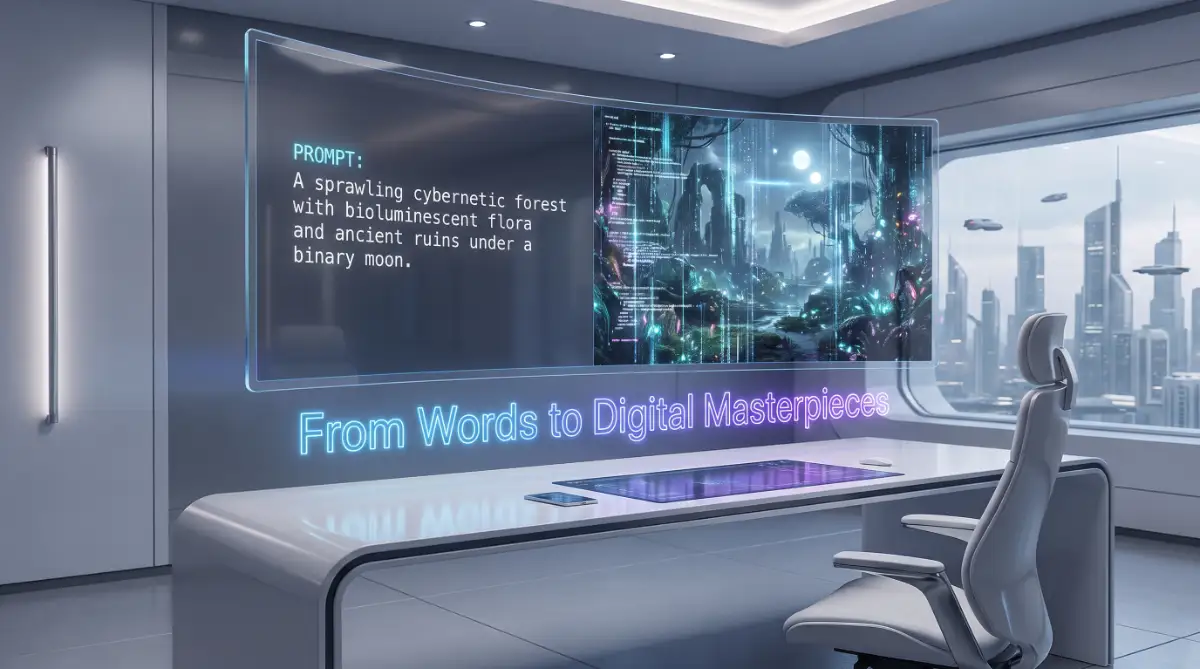
Have you ever wondered what happens the moment you hit the "generate" button? It feels like pure magic, but there is actually a very logical science behind it.
When you type a sentence into an AI generator, you are talking to a highly advanced computer program. This program has been trained to understand both human language and visual concepts.
To make sense of this, think about how a human child learns about the world. If you show a child a picture of an apple and say the word "apple," they eventually connect the word to the image.
AI models learn in a very similar way, just on a massive scale. Scientists feed these programs billions of images, each paired with a text description.
Over time, the computer begins to recognize patterns. It learns what "red," "shiny," and "round" mean when connected to the word "apple."
This process requires incredibly powerful computers and massive amounts of data. The AI does not memorize the exact photos; instead, it learns the mathematical rules of what things should look like.
Myth vs Reality: Clearing Up Common Confusions
Before we go deeper, let us clear up a major misunderstanding. Many people think AI simply searches Google, steals parts of existing photos, and glues them together.
Myth: AI generators create collages from stolen images found on the internet.
Reality: AI creates entirely new images from scratch based on mathematical patterns it learned during its training phase.
When you ask for a picture of a cat riding a skateboard, the AI is not finding a photo of a cat and a photo of a skateboard to merge. It is painting a brand-new image pixel by pixel based on what it understands about cats and skateboards.
This means the art you generate is entirely unique. Even if you use the exact same text prompt twice, you will get two completely different images.
How the AI Understands Your Text Prompts
The first major step in creating digital art is getting the computer to understand your human words. This is where a special technology called a Text Encoder steps in.
Computers do not speak English, Spanish, or any other human language. They only understand numbers and mathematical values.
When you type a prompt, the text encoder breaks your sentence down into tiny pieces called tokens. Each token is then translated into a massive string of numbers.
These numbers represent the meaning of your words. For example, the computer knows that the numbers for "dog" and "puppy" are very closely related.
Analogy: The Restaurant Chef
Think of the text encoder like a waiter at a high-end restaurant. You tell the waiter what you want to eat in plain English.
The waiter then goes to the kitchen and translates your order into a specific code the chef understands. If you ask for your steak "well done," the waiter makes sure the chef gets that exact instruction.
In the AI world, your text prompt is the order, the text encoder is the waiter, and the image generator is the chef. If you give a vague order, the chef might make something you do not like.
Why Your Words Matter So Much
Because the AI relies completely on your instructions, the way you write your prompts is incredibly important. A slight change in your wording can completely change the final digital art piece.
Many beginners get frustrated because they type simple phrases like "a beautiful house" and get boring results. To get stunning digital art, you need to be very specific.
Here is a quick comparison of how to talk to an AI model effectively:
Bad AI Prompt ExampleGood AI Prompt ExampleA dog in a park.A golden retriever playing in a sunny park, cinematic lighting, highly detailed, 8k resolution.A scary monster.A giant shadow monster with glowing red eyes standing in a dark foggy forest, digital painting style.A futuristic city.A cyberpunk city at night, neon lights reflecting in puddles, flying cars, photorealistic style.
As you can see, the good prompts give the AI specific details about lighting, style, and atmosphere. The more details you provide, the better the AI can predict what you want.
The Incredible Science of Diffusion Models
Now we reach the most fascinating part of the entire process. Most modern text to image AI tools use something called a Diffusion Model to actually draw the picture.
The word "diffusion" might sound complicated, but the concept is quite easy to understand. It all starts with a screen full of completely random noise.
If you have ever seen an old television set with no signal, you know what static looks like. It is just a messy screen of black, white, and gray dots.
Every single AI generated image starts exactly like that television static. It begins as pure, meaningless noise.
Sculpting Out the Noise
The AI takes your translated text prompt and uses it as a guide to clean up that static. It asks itself, "How can I change these random dots to look more like the prompt?"
It does not happen all at once. The AI works in tiny, gradual steps.
During the first step, the AI removes a tiny bit of the noise to reveal very blurry, basic shapes. It checks these shapes against your text prompt to make sure it is on the right track.
In the next step, it removes more noise, and the shapes start to look like actual objects. It repeats this cleaning process twenty, thirty, or even fifty times.
The Block of Clay Analogy
To make this even simpler, imagine a sculptor working with a big, messy block of clay. At first, the clay looks like nothing at all.
The sculptor starts chipping away at the block, following a picture they have in their mind. First, you see the rough shape of a head, then the shoulders.
Slowly, they refine the details, carving out the eyes, the nose, and the hair. By the end of the process, the messy block of clay has transformed into a beautiful statue.
A diffusion model does the exact same thing, but instead of carving clay, it removes digital noise. Step by step, the static fades away, and your stunning digital art is revealed.
The Role of Random Seeds in Art Generation
You might be wondering why AI generators give you completely different images even when you use the exact same words. This happens because of a feature called a "Seed."
A seed is a specific string of numbers that determines the exact pattern of the starting static. Every time you hit generate, the system picks a brand-new, random seed.
Because the starting static is different every single time, the AI cleans it up in a different way. This ensures that every piece of digital art created is a one-of-a-kind masterpiece.
If you ever generate an image that you absolutely love, you can actually save the seed number. By using the same prompt and the exact same seed, the AI will recreate that specific image for you.
Quick Expert Insight for Better Results
If you want to master AI image generators, start experimenting with different art styles in your text prompts. Do not just describe the subject of your image.
Tell the AI what medium it should imitate. You can add phrases like "oil painting," "watercolor," "3D render," or "pencil sketch" to the end of your prompts.
Because the AI studied millions of different art pieces during its training, it knows exactly how an oil painting should look compared to a photograph. Using style keywords is the fastest way to make your digital art look professional.
Understanding this basic process gives you a massive advantage. You are no longer just guessing when you type into the generator.
You now know that you are guiding a mathematical process. You are the director, and the AI is your digital artist waiting for clear instructions.
Taking Control of the Canvas: Expert Secrets for Stunning Results
Now that you understand the basic science behind the screen, it is time to level up your skills. Many beginners stop at simple prompts and wonder why their images look slightly off or generic.
To truly master these tools, you need to think like a professional director on a movie set. You are not just asking for a picture; you are building an entire scene from scratch.
Getting consistent, high-quality results requires a balanced workflow. Just like choosing the right structured routine when you safely start intermittent fasting, feeding the AI the correct sequence of instructions dictates your long-term success.
I want to share some advanced techniques that professional digital creators use every single day. These methods will help you take the chaotic static of the diffusion process and mold it into exactly what you see in your head.
The Hidden Power of Negative Prompting
One of the most powerful tools at your disposal is something called a "negative prompt." Instead of telling the computer what you want to see, you tell it exactly what you do not want to see.
Think of it as setting boundaries for the machine. If you are generating a portrait of a person, you might notice the AI sometimes adds strange background objects or unnatural colors.
By adding a negative prompt like "no text, no blurry edges, no extra fingers, no modern buildings," you force the system to avoid those mistakes. Building a strong negative prompt acts as a protective shield for your artwork, working similarly to how whole foods act as your liver's best natural defense against harmful elements.
Researchers studying visual data structures at the Stanford University Artificial Intelligence Laboratory have noted that giving a model strict negative constraints significantly reduces visual clutter. It forces the system to focus entirely on your main subject.
Directing the Digital Camera
A massive secret to making your digital art look incredibly realistic is using actual photography terms. The AI studied millions of real photographs, which means it knows exactly how professional cameras work.
If you simply type "a picture of a car," the AI will guess the angle and lighting for you. Usually, it guesses something very boring and flat.
Instead, try taking control of the digital camera. Use terms like "wide-angle shot," "macro photography," "shot from below," or "drone view."
When you use these specific camera instructions, the AI instantly changes the perspective. Suddenly, your simple picture of a car looks like a dramatic still from a blockbuster action movie.
Mastering the Art of Lighting
Lighting can completely make or break your digital masterpiece. In traditional art, a painter spends hours getting the shadows and highlights just right to create a specific mood.
You can do the exact same thing with just a few extra words. Never leave the lighting up to the machine to decide randomly.
Here are some incredibly effective lighting phrases you should start using today:
- Golden hour: Creates a warm, soft, and romantic sunset glow.
- Cinematic lighting: Adds dramatic, high-contrast shadows that look like a movie.
- Volumetric lighting: Makes beautiful rays of light shine through fog, dust, or windows.
- Studio lighting: Perfect for clean, professional portraits with soft backgrounds.
By combining a specific camera angle with beautiful lighting, you give the diffusion model a massive head start. It no longer has to guess what you want; it only has to execute your exact vision.
Why Your AI Art Looks Messy (And How to Fix It)
Even with the best tools in the world, things can easily go wrong. There is a deep, sinking feeling when you spend an hour tweaking a prompt, only to generate an image that looks completely chaotic or deformed.
You might see characters with melted faces, backgrounds that make no logical sense, or objects floating weirdly in the air. This happens to absolutely everyone, including the experts.
When your creative vision falls apart on the screen, it is easy to feel defeated. You might even think the software is broken or that you are simply not creative enough to make this work.
Please do not let these bad generations steal your confidence. Almost every single "failed" image comes from a few very common human errors during the prompting phase.
The Trap of the "Word Salad"
The biggest mistake I see beginners make is overloading the computer with too many contradicting instructions. I call this the "Word Salad" approach.
People will type something like: "A futuristic sci-fi knight, oil painting, hyper-realistic 3D render, cartoon style, dark and moody, bright sunny day."
Do you see the problem here? You are telling the chef to make a soup that is both freezing cold and boiling hot at the exact same time.
A recent study published in the Journal of Artificial Intelligence Research highlights that overly complex, contradictory prompt structures easily confuse diffusion models. The machine tries to blend everything together, resulting in a distorted, muddy mess.
Continuing to make these same contradicting errors will only multiply your frustration over time. It is exactly like repeating daily skincare mistakes that make your acne breakouts worse—you end up causing much more damage instead of fixing the root problem.
How to fix it: Pick one single art style and stick to it. If you want a 3D render, do not include words about oil paintings or pencil sketches in the same sentence.
Relying on the First Output
Another major trap is giving up after hitting the generate button just one time. Digital art generation is an active, ongoing conversation with the machine, not a magic vending machine.
The first image you get is rarely the perfect final product. It is usually just a rough draft or a stepping stone toward your actual goal.
If the first image looks strange, do not immediately delete your entire prompt and start over. Instead, change just one or two words and generate it again to see how the image reacts.
Sometimes, you have to "roll the dice" ten or twenty times with the exact same prompt to get that one perfect masterpiece. Patience is your greatest weapon when creating digital art.
Being Too Vague with Subjects
Computers are incredibly smart, but they lack human intuition. If you ask for "a man looking happy," the AI has to guess his age, his clothing, his surroundings, and his exact facial expression.
Because it has to fill in so many blanks, the AI often produces something boring or slightly creepy. It relies on the most average, generic data it has available.
To avoid this, always describe your main subject in vivid detail. Instead of "a happy man," try "a joyful 60-year-old grandfather wearing a red wool sweater, laughing loudly in a cozy cabin."
The less guessing the AI has to do, the more beautiful and accurate your final image will be. You must paint the picture with your words before the machine can paint it with pixels.
Your Next Steps as a Digital Creator
We have covered a lot of ground today, from understanding how text encoders translate your words to learning how diffusion models clean up static. You now hold the keys to a completely new world of creative expression.
The barrier between your imagination and the canvas has officially been broken. You no longer need decades of drawing practice to share your unique ideas with the world.
Remember that the machine is simply a tool, much like a paintbrush or a camera. The true artistic value comes directly from your mind, your stories, and your unique way of seeing the world.
Making a daily habit of exploring these tools can totally change your artistic journey. Small, consistent improvements in your prompting skills will yield massive results, much like how simple ways fiber can transform your daily digestion when added to your routine regularly.
An Action Plan for Tomorrow
Do not just read this guide and move on with your day. I want you to put these concepts into practice the next time you sit down at your computer.
- Start simple: Write a basic sentence describing a subject you love.
- Add a camera angle: Tell the system exactly where to place the digital lens.
- Choose your lighting: Decide if the scene should be moody, sunny, or cinematic.
- Define the style: Tell the machine if you want a photograph, a painting, or a sketch.
When you hit that generate button, watch the static fade away with confidence. You now know exactly what is happening behind the screen, and you are in total control of the outcome.
Keep experimenting, stay patient with the messy drafts, and never stop feeding your imagination. The world is waiting to see the incredible digital art only you can create.
Disclaimer: The information provided in this article is for educational and informational purposes only. AI technology is constantly evolving, and specific tool interfaces or algorithms may change over time. Always review the terms of service, copyright guidelines, and privacy policies of the specific AI image generation platform you choose to use.